Connect to TiDB Cloud Lake with Tableau
Tableau is a visual analytics platform transforming the way we use data to solve problems. You can connect Tableau to TiDB Cloud Lake through Tableau's Other Databases (JDBC) interface by using the lake-jdbc driver.
For optimal compatibility, use Tableau version 2022.3 or later.
Tutorial: Integrating with TiDB Cloud Lake
This tutorial guides you through connecting Tableau Desktop to TiDB Cloud Lake with lake-jdbc.
Step 1. Obtain Connection Information
Obtain the connection information for your TiDB Cloud Lake warehouse. For more details, see Connecting to a Warehouse.
Step 2. Install lake-jdbc
Download
lake-jdbcversion0.4.6or later from one of the following locations:Move the driver JAR file, for example
lake-jdbc-0.4.6.jar, to Tableau's driver folder.
Step 3. Connect to TiDB Cloud Lake
Launch Tableau Desktop and select Other Databases (JDBC) in the sidebar.
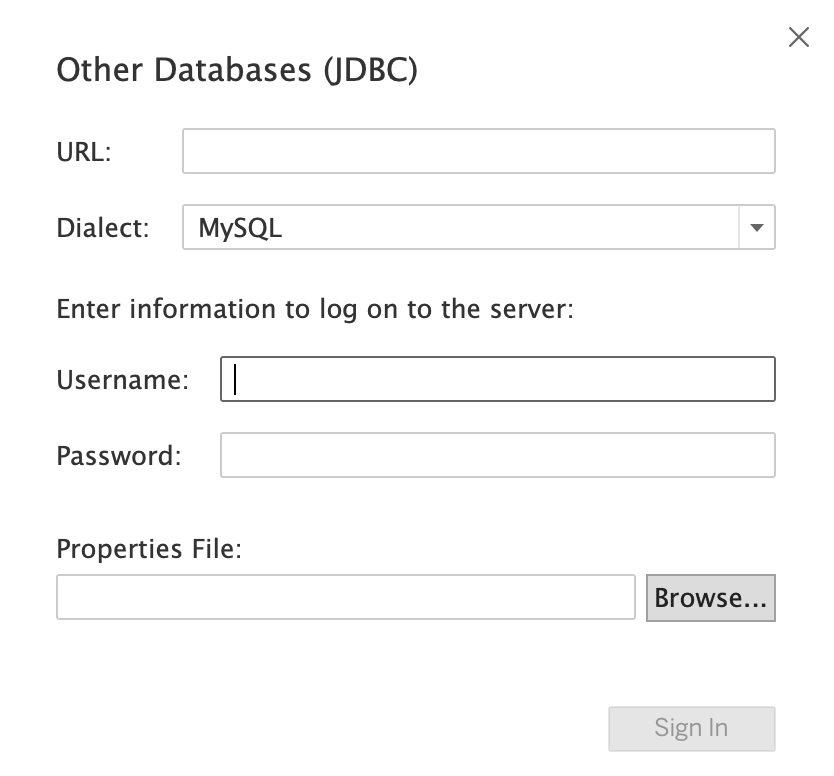
In the window, provide your TiDB Cloud Lake connection information and click Sign In.
When the Tableau workbook opens, select the database, schema, and tables that you want to query. For this tutorial, select default for both Database and Schema.
You're all set! You can now drag tables to the work area to start your query and further analysis.