MySQL Integration Task
This page describes how to create a MySQL integration task that synchronizes data from a MySQL database into TiDB Cloud Lake. MySQL tasks support full Snapshot loads, continuous Change Data Capture (CDC), or a combination of both.
If you need to create reusable MySQL connection settings first, see MySQL - Credentials.
Sync Modes
Prerequisites
Before setting up MySQL data integration, ensure your MySQL instance meets the following requirements:
- A MySQL - Credentials data source has already been created
- The target MySQL instance is reachable from TiDB Cloud Lake
Enable Binlog
For all sync modes, enable MySQL binary logging. For CDC Only and Snapshot + CDC, the binary log must use ROW format and FULL row images:
[mysqld]
server-id=1
log-bin=mysql-bin
binlog-format=ROW
binlog-row-image=FULL
After modifying the configuration, restart MySQL for the changes to take effect.
Create a Dedicated User (Recommended)
Create a MySQL user with the necessary permissions for data replication:
CREATE USER 'lake_cdc'@'%' IDENTIFIED BY 'your_password';
GRANT SELECT, REPLICATION SLAVE, REPLICATION CLIENT ON *.* TO 'lake_cdc'@'%';
FLUSH PRIVILEGES;
Network Access
Ensure the MySQL instance is accessible from TiDB Cloud Lake. Check your firewall rules and security groups to allow inbound connections on the MySQL port.
Creating a MySQL Integration Task
Step 1: Basic Info
Navigate to Data > Data Integration and click Create Task.
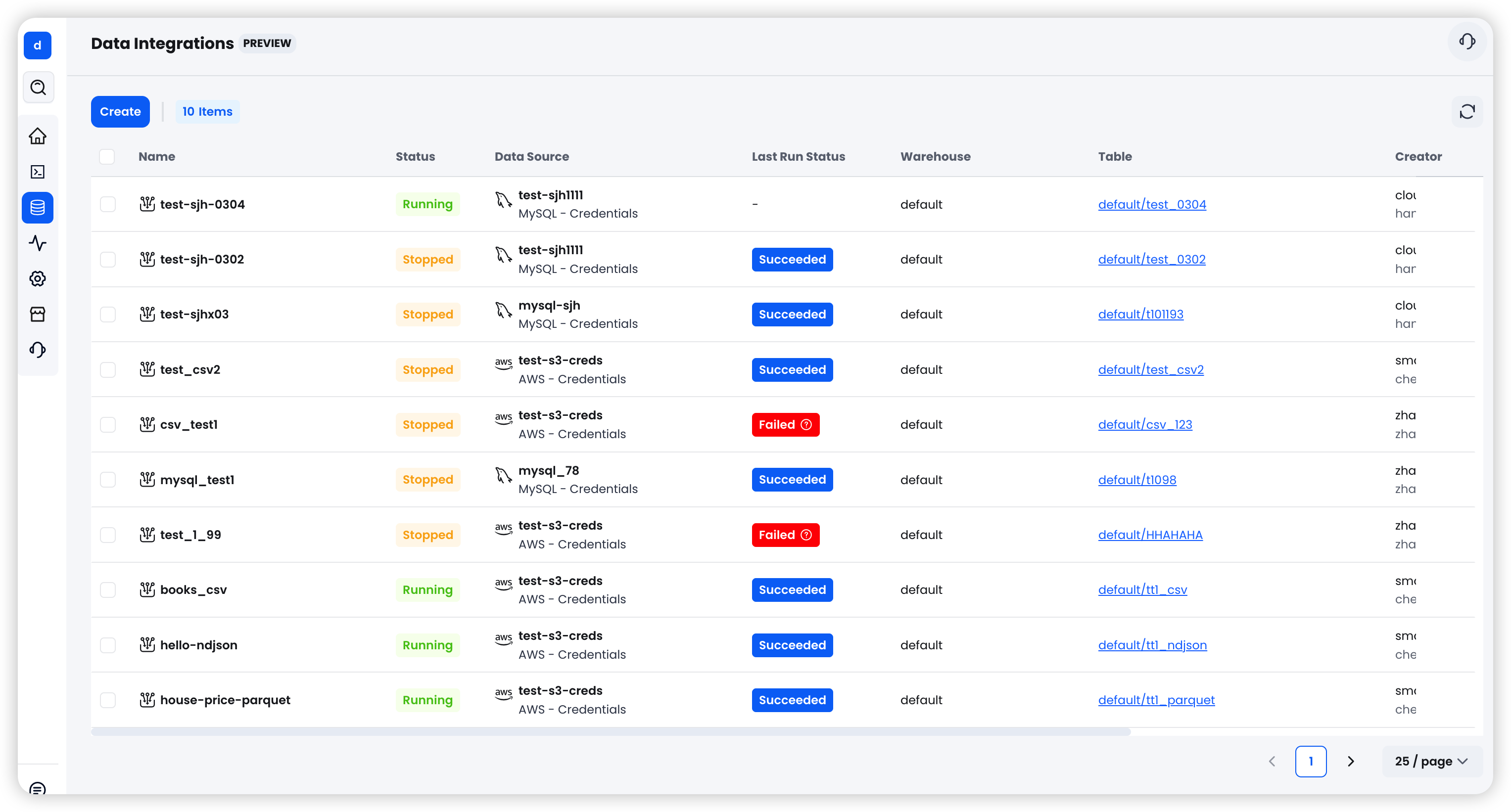
Configure the basic settings:
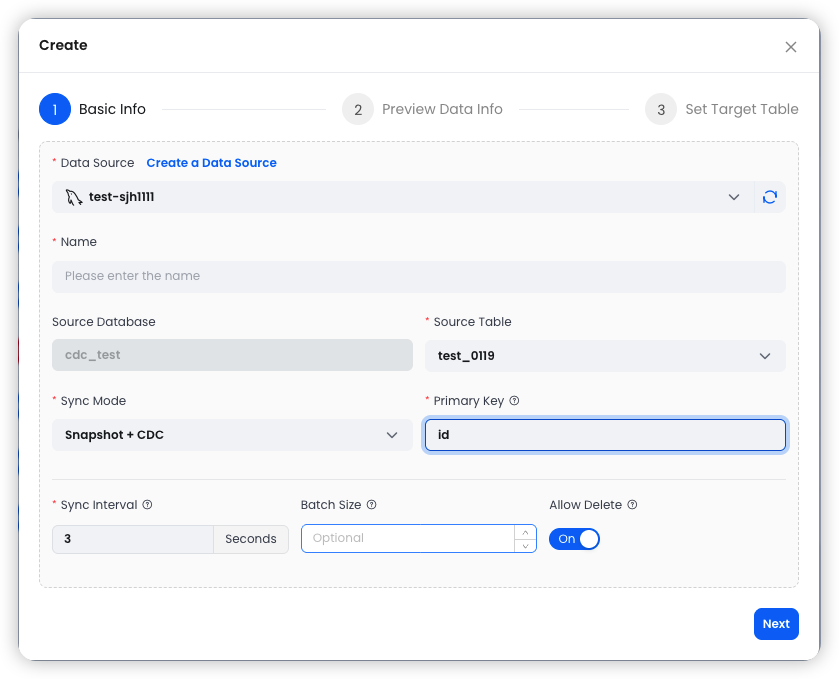
Snapshot Mode Options
When using Snapshot mode, additional options are available:
Snapshot WHERE Condition: A SQL WHERE clause to filter data during the snapshot (e.g.,
created_at > '2024-01-01'). This allows you to load only a subset of the source data.Archive Schedule: Enable periodic archiving to automatically run snapshots on a recurring schedule. When enabled, the following fields appear:
Step 2: Preview Data
After configuring the basic settings, click Next to preview the source data.
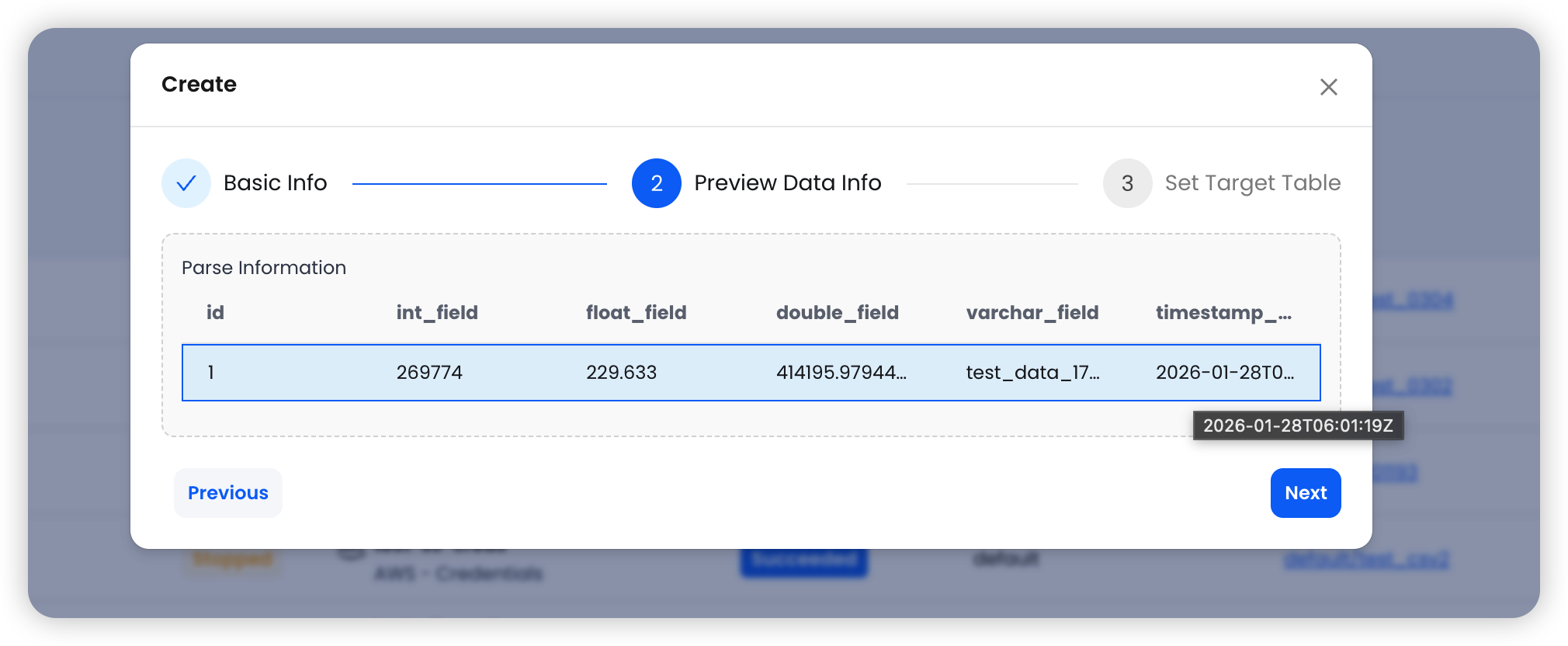
The system fetches a sample row from the selected MySQL table and displays the column names and data types. Review the data to ensure the correct table and columns are selected before proceeding.
Step 3: Set Target Table
Configure the destination in TiDB Cloud Lake:
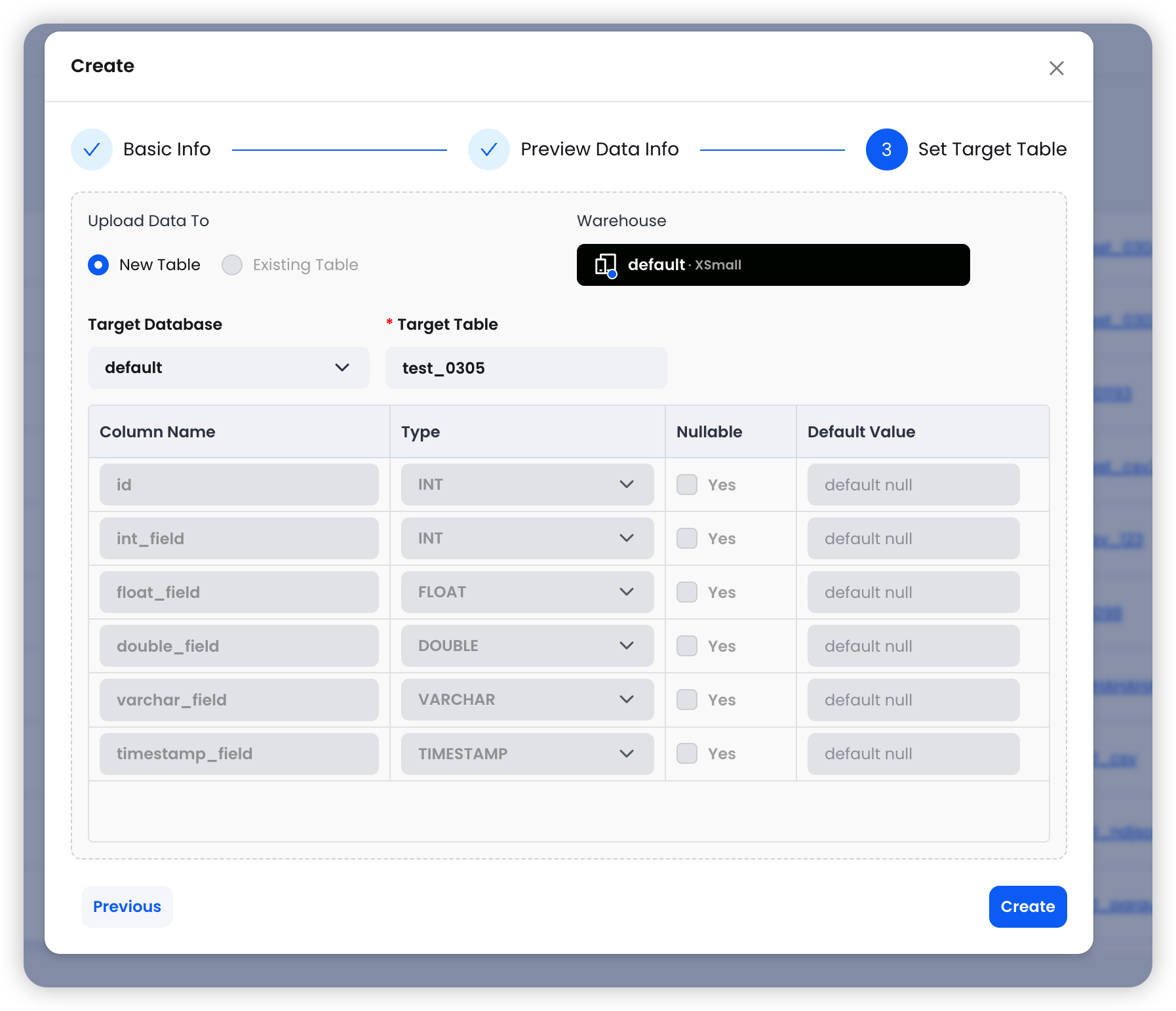
The system automatically maps source columns to the target table schema. Review the column mappings, then click Create to finalize the integration task.
Task Behavior by Sync Mode
For CDC tasks, the current binlog position is saved as a checkpoint when stopped, allowing the task to resume from where it left off when restarted.
Sync Mode Details
Snapshot
Snapshot mode performs a one-time full read of the source table and loads all data into the target table in TiDB Cloud Lake.
Use cases:
- Initial data migration from MySQL to TiDB Cloud Lake
- Periodic full data refresh
- One-time data imports with WHERE condition filtering
Features:
- Supports WHERE condition filtering to load a subset of data
- Supports periodic archive scheduling for recurring snapshots
- Task automatically stops after completion
CDC (Change Data Capture)
CDC mode continuously monitors the MySQL binlog and captures real-time row-level changes (INSERT, UPDATE, DELETE) from the source table.
Use cases:
- Real-time data replication
- Keeping TiDB Cloud Lake in sync with operational MySQL databases
- Event-driven data pipelines
How it works:
- Connects to MySQL binlog using a unique server ID
- Captures row-level changes in real-time
- Writes changes to a raw staging table in TiDB Cloud Lake
- Periodically merges changes into the target table using the primary key
- Saves checkpoint (binlog position) for crash recovery
Snapshot + CDC
This mode combines both approaches: it first performs a full snapshot of the source table, then seamlessly transitions to CDC mode for continuous change capture. This is the recommended mode for most data integration scenarios, as it ensures a complete initial data load followed by ongoing real-time synchronization.
Advanced Configuration
Primary Key
The primary key specifies the unique identifier column used for MERGE operations during CDC. When a change event is captured, TiDB Cloud Lake uses this key to determine whether to insert a new row or update an existing one. Typically, this should be the primary key of the source table.
Sync Interval
The sync interval (in seconds) controls how frequently captured changes are merged into the target table. A shorter interval provides lower latency but may increase resource usage. The default value of 3 seconds is suitable for most workloads.
Batch Size
Controls the number of rows processed per batch during data loading. Adjusting this value can help optimize throughput for large tables. Leave empty to use the system default.
Allow Delete
When enabled (default for CDC modes), DELETE operations captured from MySQL binlog are applied to the target table in TiDB Cloud Lake. When disabled, deletes are ignored, and the target table retains all historical records. This is useful for scenarios where you want to maintain a complete audit trail.
Archive Schedule
For Snapshot mode, you can configure periodic archiving to automatically run snapshots on a recurring schedule. This is useful for scenarios where you need regular data refreshes without continuous CDC overhead.
- Cron Expression: Standard cron format for scheduling (e.g.,
0 1 * * *for daily at 1:00 AM) - Mode: Choose Daily, Weekly, or Monthly archiving
- Time Column: Specify the column used for time-based partitioning (e.g.,
created_at) - Timezone: Set the timezone for the schedule (default: UTC)