Connect to TiDB Cloud Lake with Alibaba Cloud PrivateLink
This document describes how to configure an Alibaba Cloud private endpoint, enable its custom domain name, and verify private connectivity to TiDB Cloud Lake.
Set up Alibaba Cloud PrivateLink
Get the endpoint service name from the Connect to TiDB Cloud Lake dialog.
For example:
com.aliyuncs.privatelink.ap-northeast-1.epsrv-6weddzcbkanrx5sc2zv4.Prepare a security group that allows inbound TCP traffic on port 443.
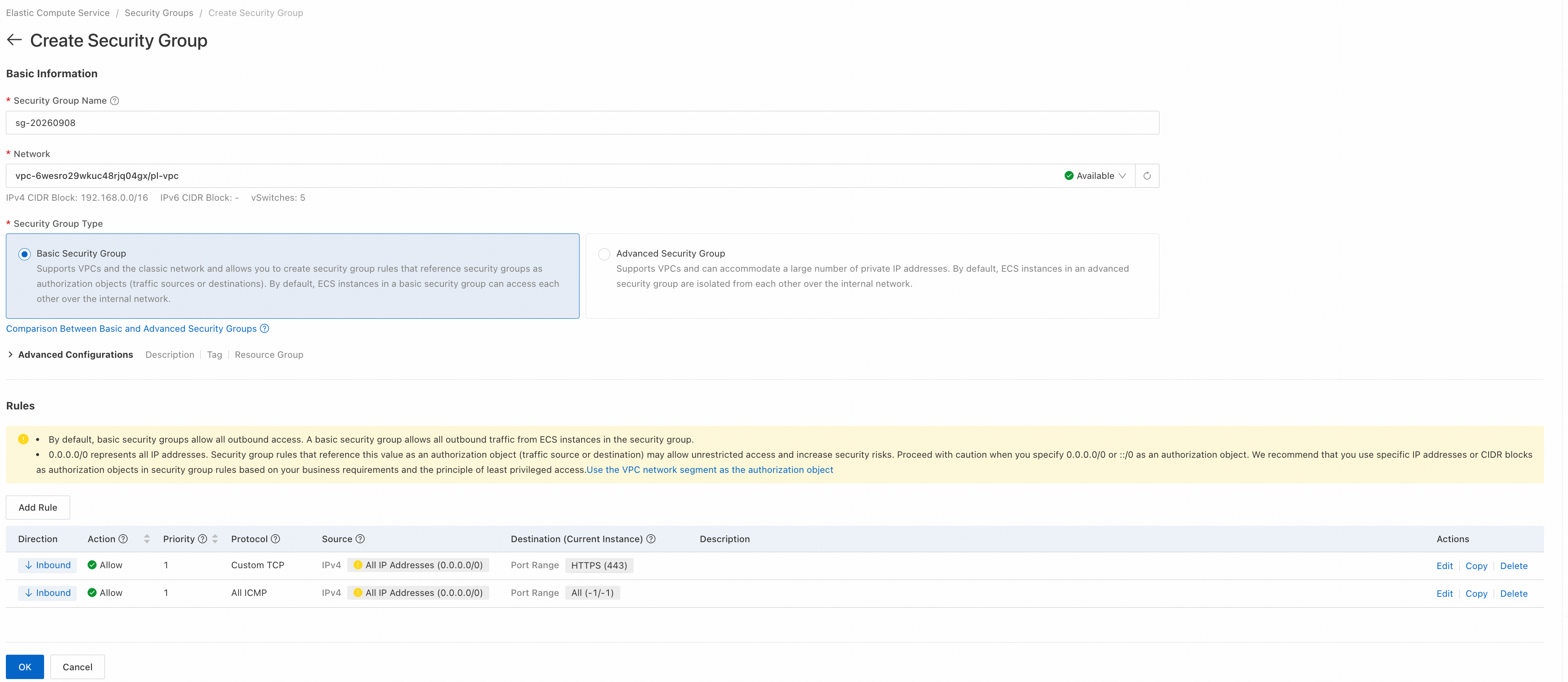
In the Alibaba Cloud VPC console, create an endpoint. This example uses Japan (Tokyo).
Enter the endpoint service name from Step 1 and click Verify.
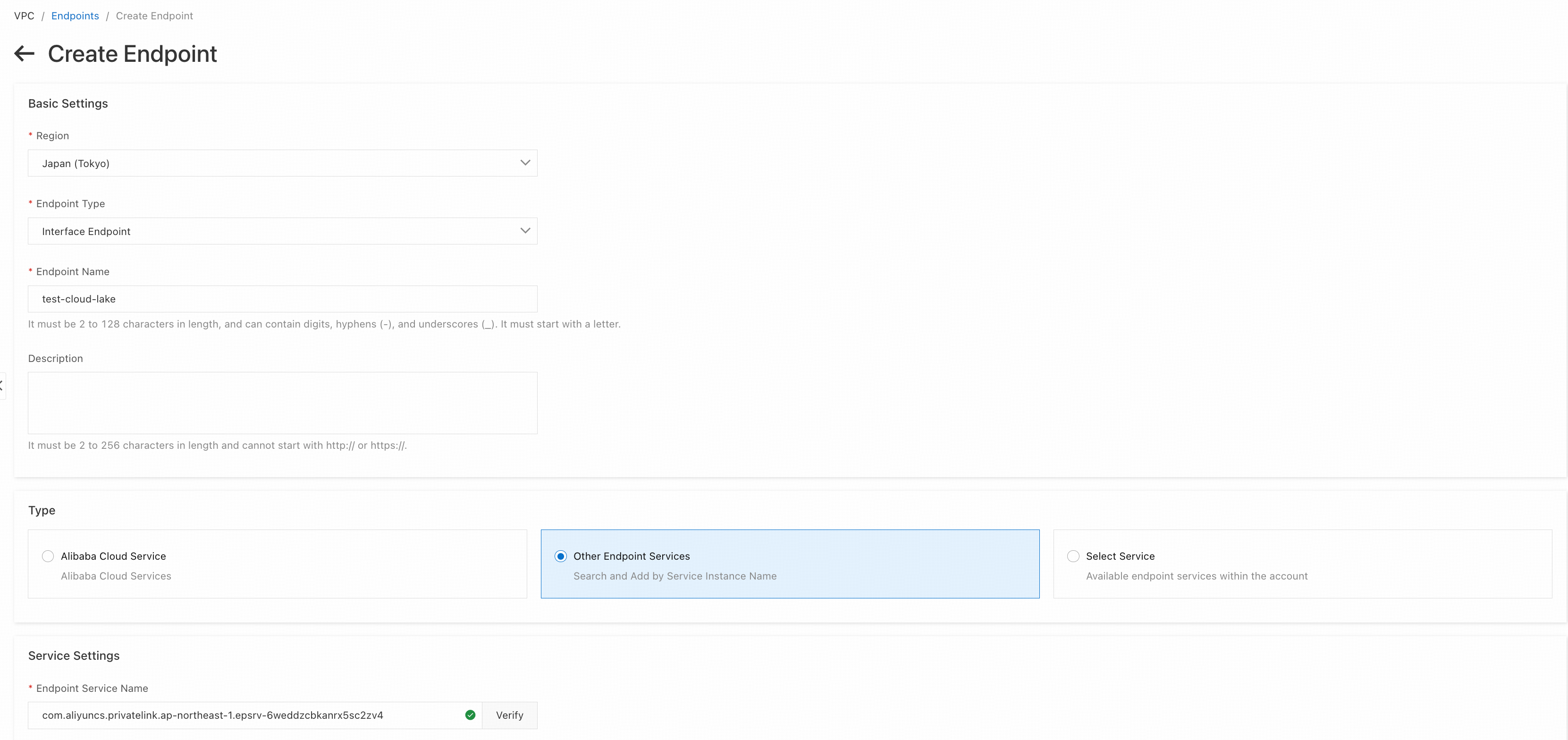
Confirm the settings and click the create button at the bottom of the page.
On the endpoint details page, enable Custom Domain Name.

Verify the endpoint connection from an Elastic Compute Service (ECS) instance in your VPC.
On the TiDB Cloud Lake home page, click Connect. In the Connect to TiDB Cloud dialog, copy the Host value under Connection Information.
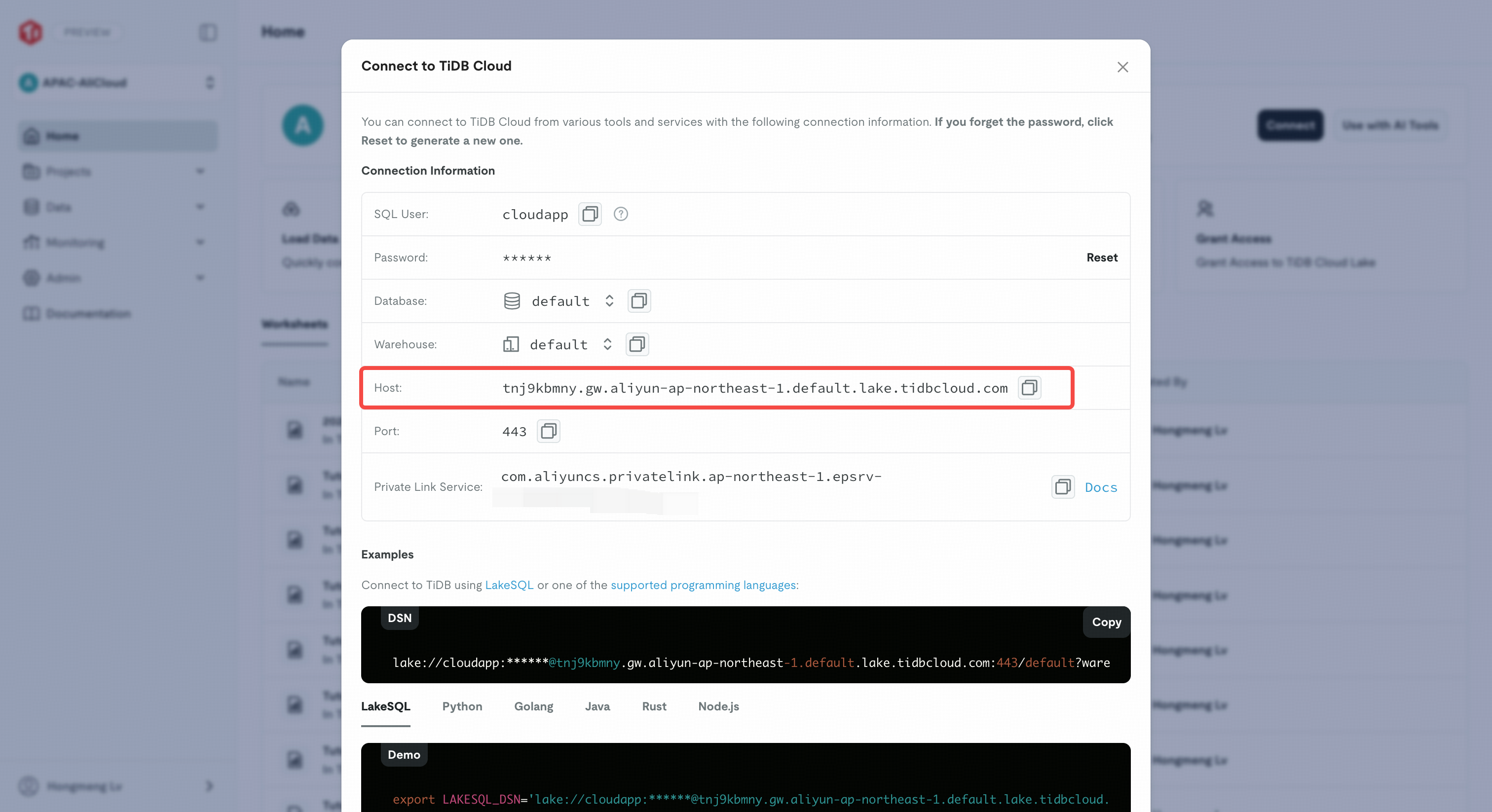
Set
LAKE_HOSTto the host you copied, and then run the following commands:LAKE_HOST='<your-tidb-cloud-lake-host>' getent ahostsv4 "$LAKE_HOST" curl --noproxy '*' -4 -sS -o /dev/null \ -w 'remote_ip=%{remote_ip}\ntls_verify=%{ssl_verify_result}\n' \ "https://$LAKE_HOST"In the Alibaba Cloud VPC console, open the endpoint details page and find the private IP addresses assigned to the endpoint elastic network interfaces (ENIs). Confirm that every IPv4 address returned by
getent ahostsv4is an endpoint ENI private IP address and thatremote_ipmatches one of those addresses. This confirms that the tested connection to TiDB Cloud Lake uses Alibaba Cloud PrivateLink and does not traverse the public Internet. Atls_verify=0result indicates that the HTTPS certificate verification succeeded.Check the health of the regional gateway. Take the Japan (Tokyo) region as an example:
curl --noproxy '*' -sS \
  https://gw.aliyun-ap-northeast-1.default.lake.tidbcloud.com/status
If the response contains
"status": "ok", the regional gateway is available.