Connecting to TiDB Cloud Lake with AWS PrivateLink
PrivateLink-style private endpoints offered by major clouds (AWS PrivateLink, Azure Private Link, Google Private Service Connect, etc.) let you reach TiDB Cloud Lake through private IP addresses inside your own network boundary, so no traffic has to traverse the public internet. That keeps your datasets, credentials, and admin actions on the provider's backbone and aligned with the network policies you already operate.
Benefits
- Network isolation: traffic never leaves your VPC/VPN boundary, removing exposure to public endpoints.
- Compliance ready: easier to satisfy internal audits and industry requirements that forbid internet egress.
- Stable performance: traffic follows the cloud provider backbone instead of unpredictable internet routes.
- Simplified controls: reuse your existing security groups, route tables, and monitoring to govern access.
How it works
Grab the PrivateLink service name from the Connect to TiDB Cloud Lake dialog, then create a private endpoint that points to it. The cloud provider automatically allocates private IP addresses and accepts the endpoint, and once private DNS is enabled, your TiDB Cloud Lake domains resolve to those addresses so every session stays on the secure, private path.
How to setup AWS PrivateLink
Verify your VPC settings.
Ensure
Enable DNS resolutionandEnable DNS hostnamesare checked.Get the service name to connect to from the Connect to TiDB Cloud Lake dialog:
For example:
com.amazonaws.vpce.us-east-2.vpce-svc-0123456789abcdef0.Prepare a security group with tcp 443 port open:
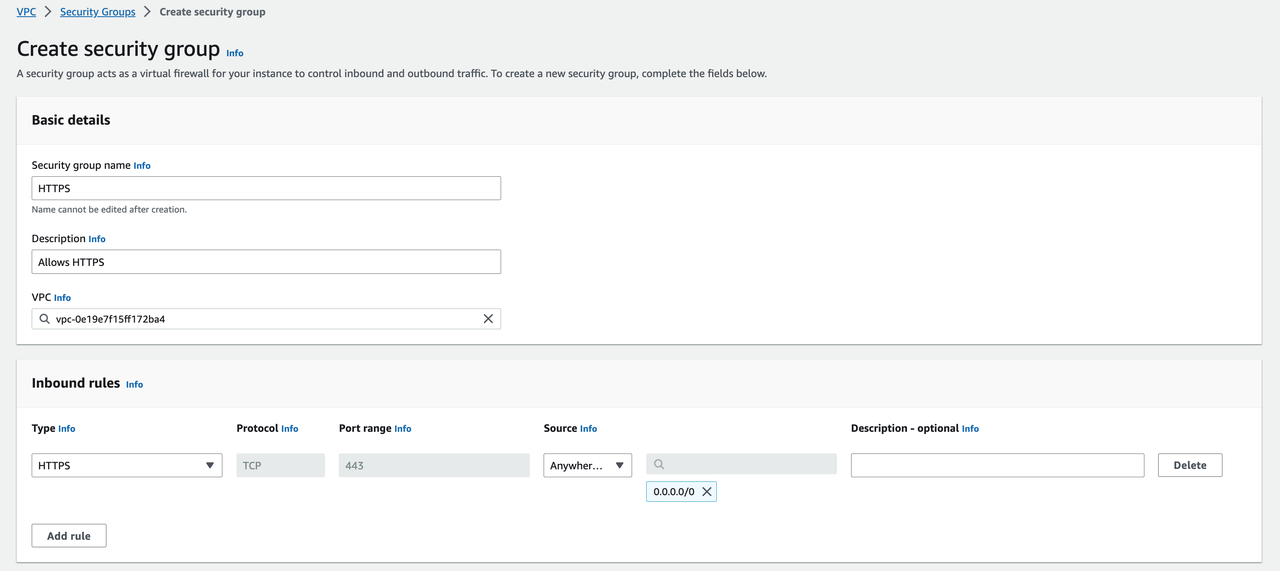
Goto AWS Console:
https://us-east-2.console.aws.amazon.com/vpcconsole/home?region=us-east-2#Endpoints:
Click
Create endpoint:
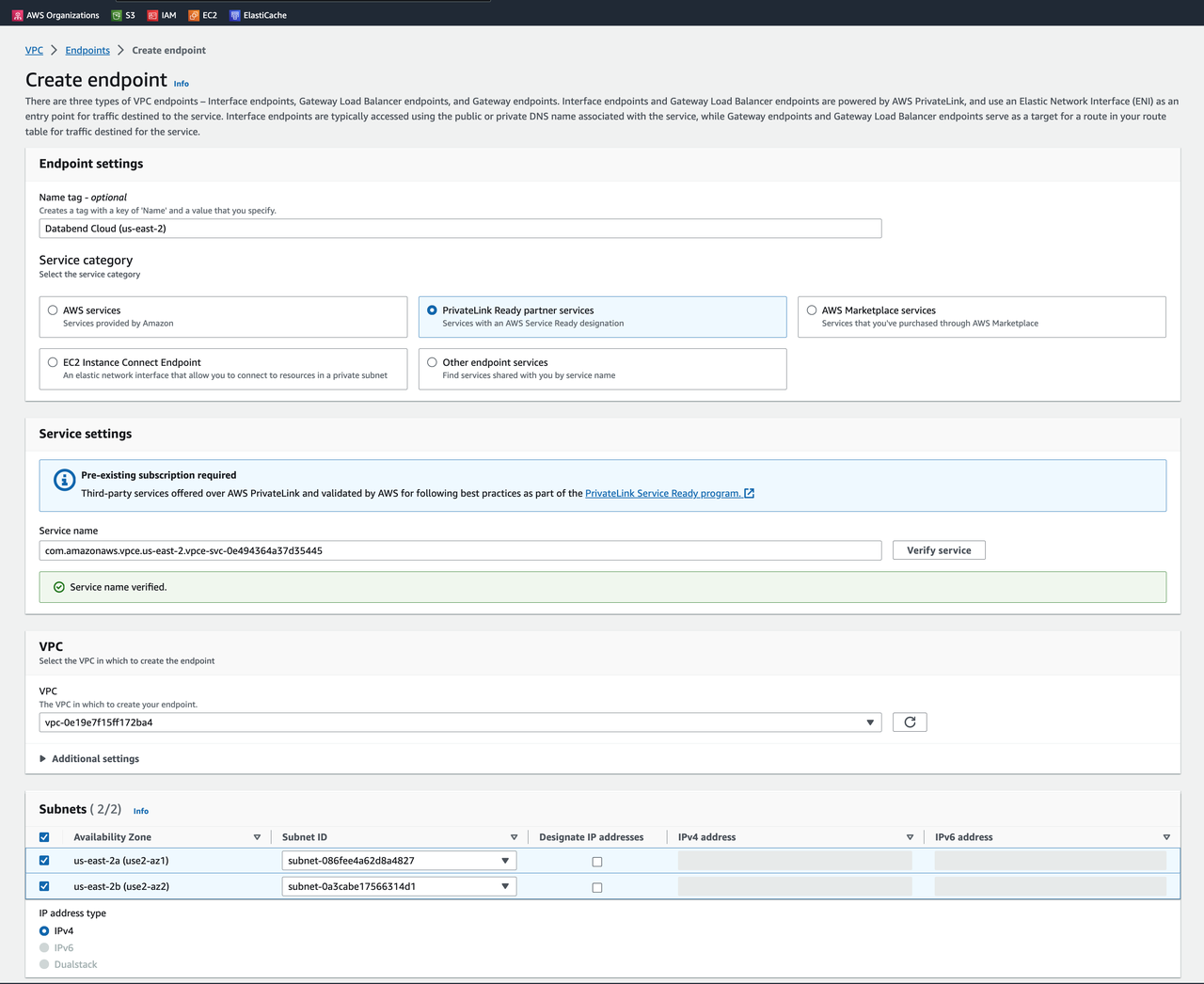
Select the previously created security group
HTTPS: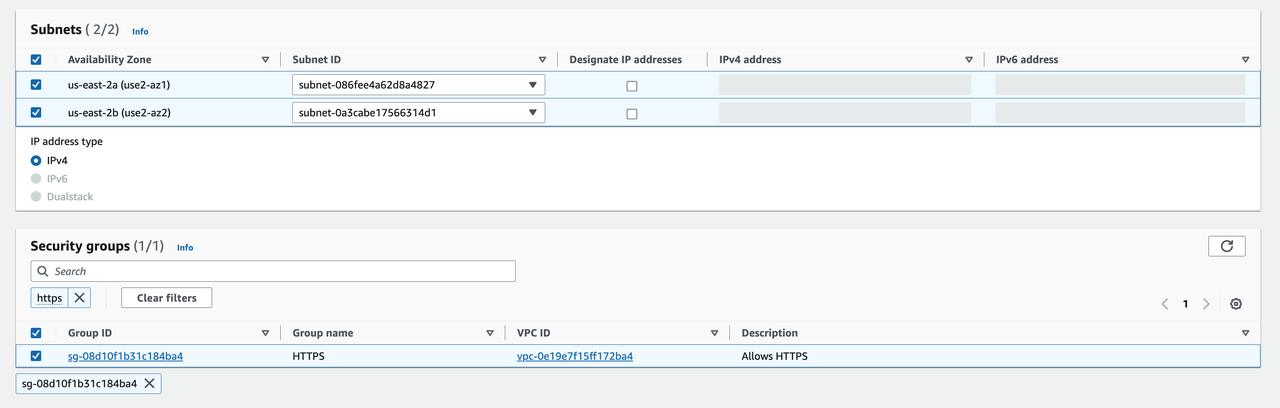
Wait for the PrivateLink creation.
Modify private DNS name setting:
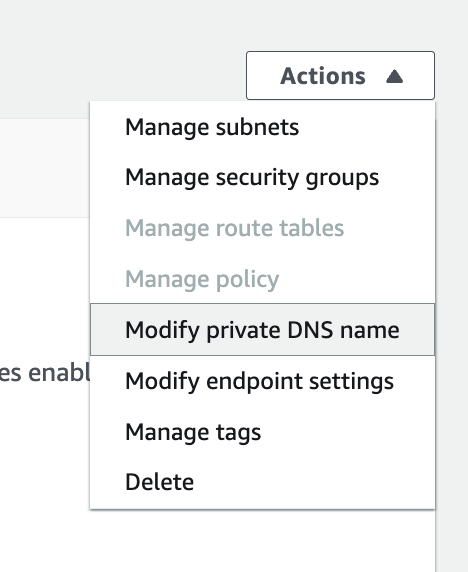
Enable private DNS names:
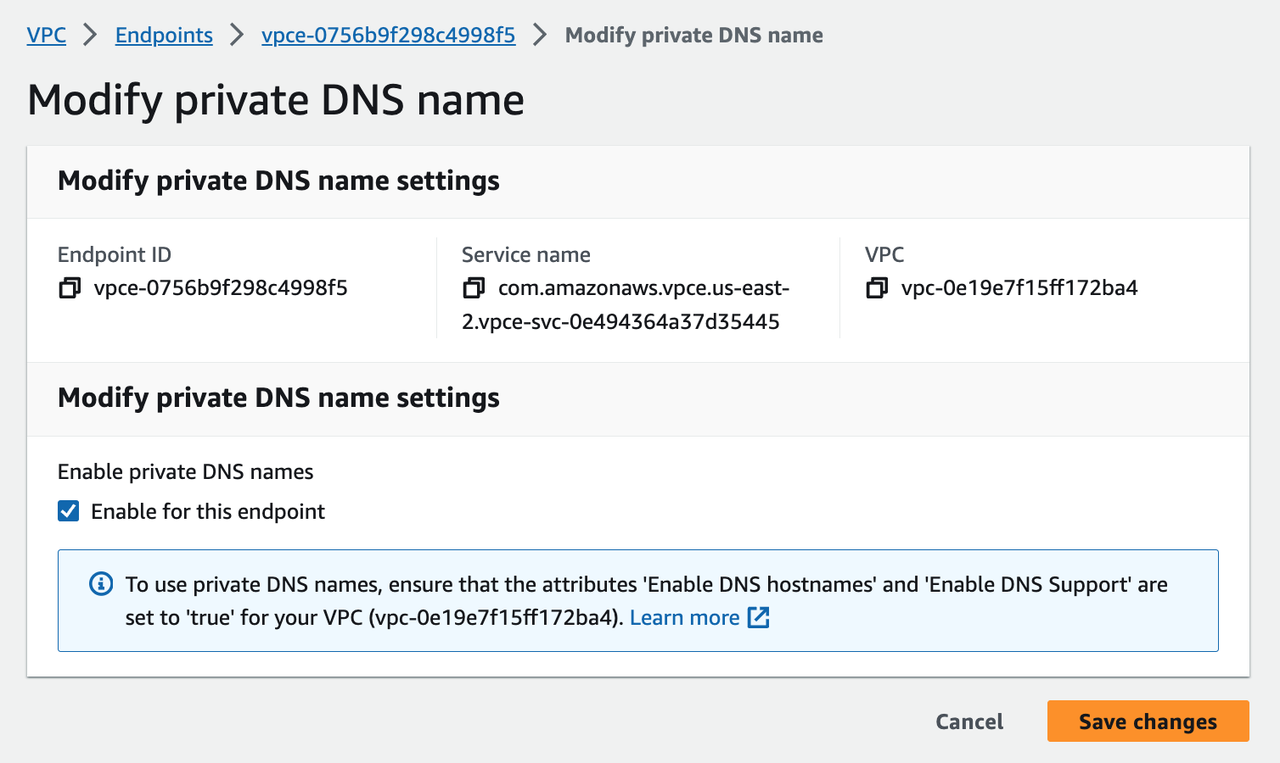
Wait for changes to apply.
Verify accessing TiDB Cloud Lake via PrivateLink:
Gateway domain is resolved to VPC internal IP address.