Authenticate with AWS IAM Role
Cloud-native identity delegation (AWS IAM Role, Azure Managed Identity, Google Service Account federation, etc.) lets TiDB Cloud Lake obtain short-lived credentials to your object storage without ever handling raw access keys. That keeps data plane access inside your cloud provider's control plane while you retain ownership of every permission.
IAM role benefits
- No static keys: temporary credentials eliminate long-lived secrets to rotate or leak.
- Least privilege: fine-grained policies restrict TiDB Cloud Lake to only the buckets and actions you approve.
- Central governance: continue auditing and revoking access through your existing IAM workflows.
- Automated rotation: the cloud provider refreshes tokens, so integrations keep working when teams change.
How it works
After TiDB Cloud Lake support shares the trusted principal information for your organization, you create an IAM role/identity in your cloud account, attach a policy that allows the object storage operations you need (for example reading a set of buckets), and configure the trust policy so only TiDB Cloud Lake can assume the role with a unique external ID. TiDB Cloud Lake then assumes that role on demand, uses the temporary credentials to access your storage, and automatically logs out when the session expires.
Use IAM role
Raise a support ticket to get the IAM role ARN for your TiDB Cloud Lake organization:
For example:
arn:aws:iam::123456789012:role/xxxxxxx/tnabcdefg/xxxxxxx-tnabcdefgGoto AWS Console:
https://us-east-2.console.aws.amazon.com/iam/home?region=us-east-2#/policies
Click
Create policy, and selectCustom trust policy, and input the policy document for S3 bucket access:{ "Version": "2012-10-17", "Statement": [ { "Effect": "Allow", "Action": "s3:ListBucket", "Resource": "arn:aws:s3:::test-bucket-123" }, { "Effect": "Allow", "Action": "s3:*Object", "Resource": "arn:aws:s3:::test-bucket-123/*" } ] }Click
Next, and input the policy name:lake-test, and clickCreate policyGoto AWS Console:
https://us-east-2.console.aws.amazon.com/iam/home?region=us-east-2#/roles
Click
Create role, and selectCustom trust policyinTrusted entity type: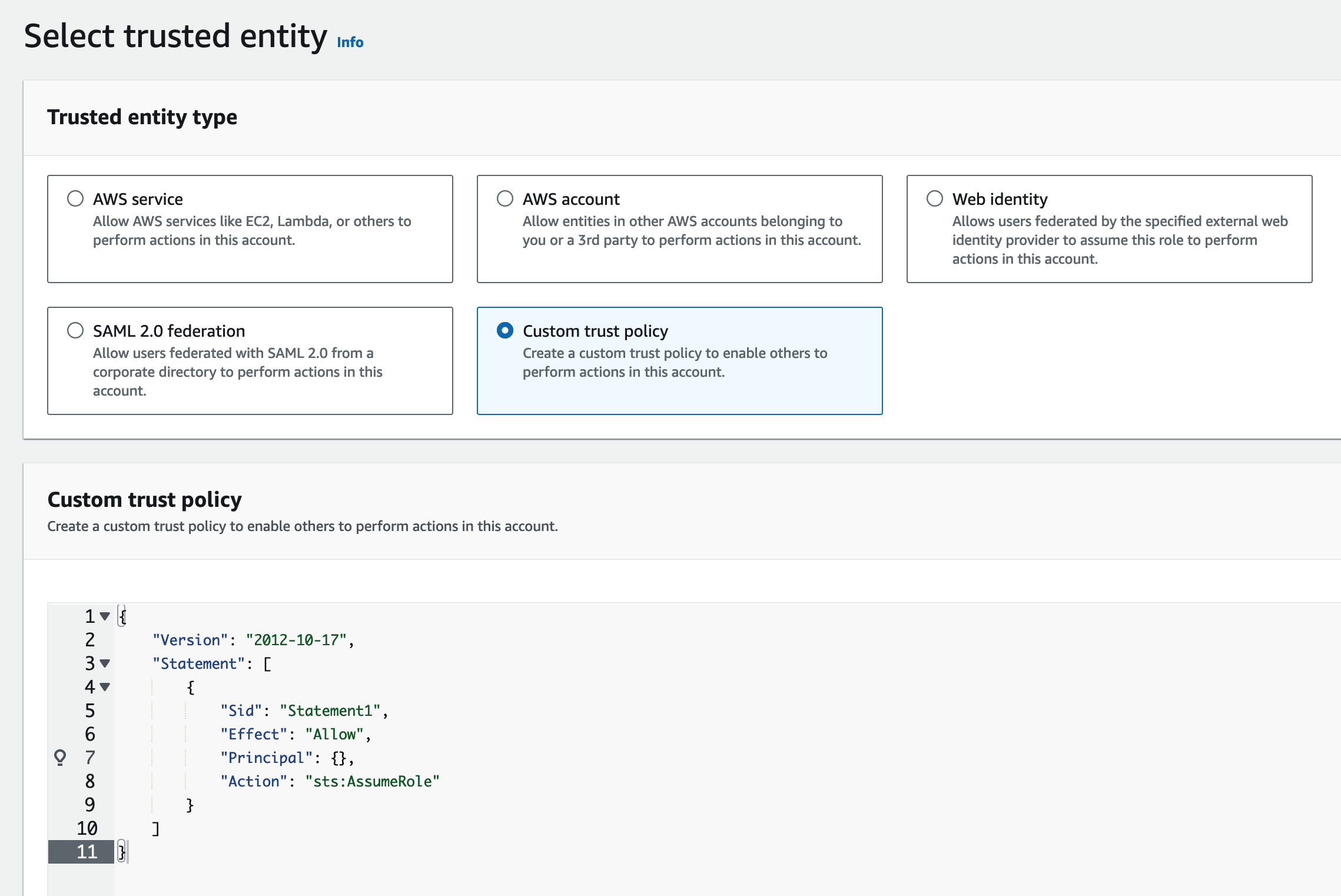
Input the the trust policy document:
{
  "Version": "2012-10-17",
  "Statement": [
    {
      "Effect": "Allow",
      "Principal": {
        "AWS": "arn:aws:iam::123456789012:role/xxxxxxx/tnabcdefg/xxxxxxx-tnabcdefg"
      },
      "Condition": {
        "StringEquals": {
          "sts:ExternalId": "my-external-id-123"
        }
      },
      "Action": "sts:AssumeRole"
    }
  ]
}
Click
Next, and select the previously created policy:lake-testClick
Next, and input the role name:lake-testClick
View Role, and record the role ARN:arn:aws:iam::987654321987:role/lake-testRun the following SQL statement in TiDB Cloud Lake cloud worksheet or
LakeSQL:CREATE CONNECTION lake_test STORAGE_TYPE = 's3' ROLE_ARN = 'arn:aws:iam::987654321987:role/lake-test' EXTERNAL_ID = 'my-external-id-123'; CREATE STAGE lake_test URL = 's3://test-bucket-123' CONNECTION = (CONNECTION_NAME = 'lake_test'); SELECT * FROM @lake_test/test.parquet LIMIT 1;