RAG Example
This example demonstrates how to use pytidb (the official Python SDK for TiDB) to build a minimal RAG application.
The application uses Ollama for local embedding generation, Streamlit for the web UI, and pytidb to build the RAG pipeline.
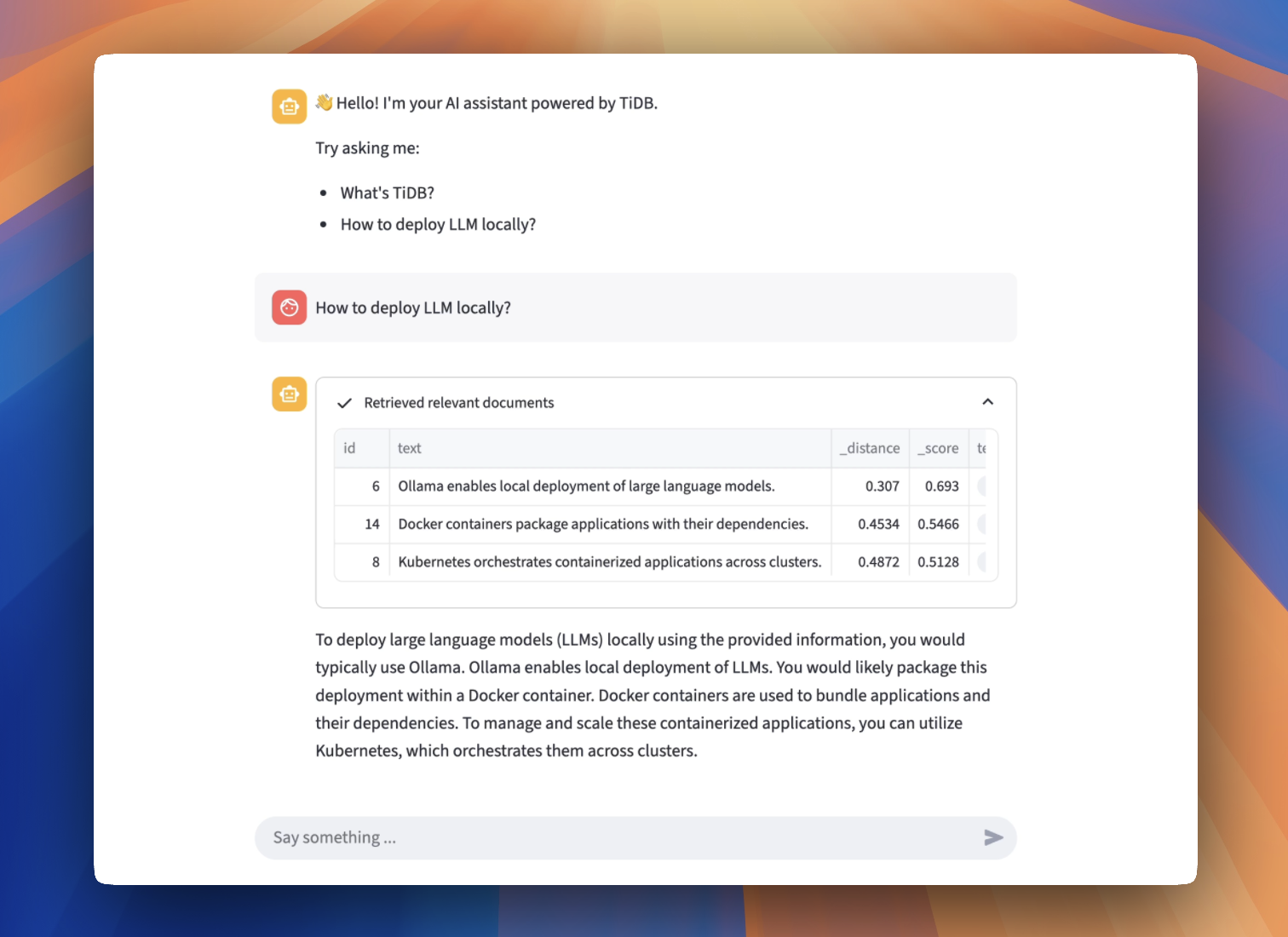
RAG application built with PyTiDB
Prerequisites
Before you begin, ensure you have the following:
- Python (>=3.10): Install Python 3.10 or a later version.
- A TiDB Cloud Starter cluster: You can create a free TiDB cluster on TiDB Cloud.
- Ollama: Install from Ollama.
How to run
Step 1. Prepare the inference API
Pull the embedding and LLM models with the Ollama CLI:
ollama pull mxbai-embed-large
ollama pull gemma3:4b
ollama run gemma3:4b
Verify that the /embed and /generate endpoints are running:
curl http://localhost:11434/api/embed -d '{
  "model": "mxbai-embed-large",
  "input": "Llamas are members of the camelid family"
}'
curl http://localhost:11434/api/generate -d '{
  "model": "gemma3:4b",
  "prompt": "Hello, Who are you?"
}'
Step 2. Clone the repository
git clone https://github.com/pingcap/pytidb.git
cd pytidb/examples/rag/
Step 3. Install the required packages and set up the environment
python -m venv .venv
source .venv/bin/activate
pip install -r reqs.txt
Step 4. Set environment variables
- In the TiDB Cloud console, navigate to the Clusters page, and then click the name of your target cluster to go to its overview page.
- Click Connect in the upper-right corner. A connection dialog is displayed, with connection parameters listed.
- Set environment variables according to the connection parameters as follows:
cat > .env <<EOF
TIDB_HOST={gateway-region}.prod.aws.tidbcloud.com
TIDB_PORT=4000
TIDB_USERNAME={prefix}.root
TIDB_PASSWORD={password}
TIDB_DATABASE=test
EOF
Step 5. Run the Streamlit app
streamlit run main.py
Open your browser and visit http://localhost:8501.
Troubleshooting
502 Bad Gateway Error
Try disabling your global proxy settings.
Related resources
- Source Code: View on GitHub