Full-Text Search Example
This example demonstrates how to build an e-commerce product search app using TiDB full-text search with multilingual support. Users of this app can search for products by keywords in their preferred language.
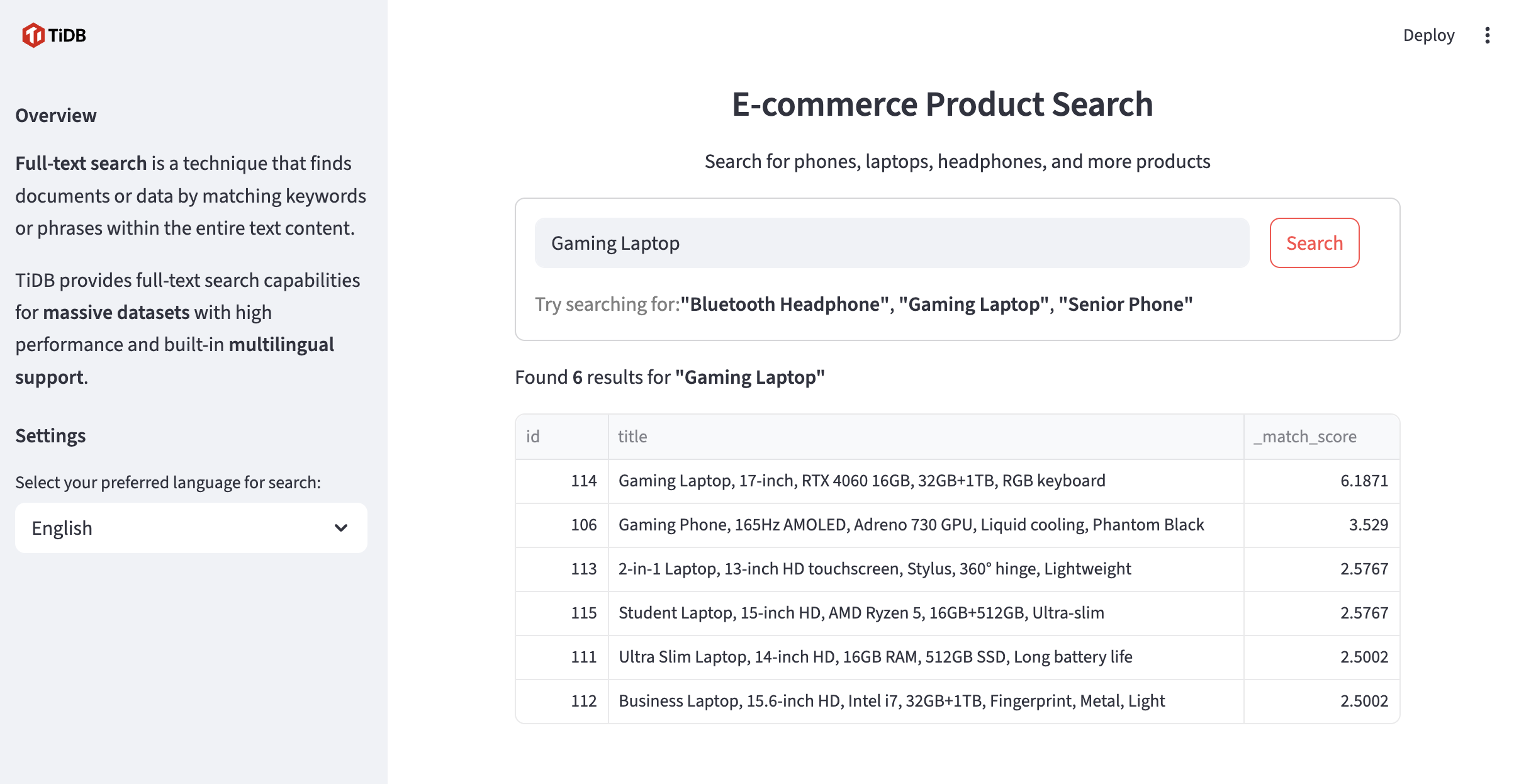
E-commerce product search with full-text search
Prerequisites
Before you begin, ensure you have the following:
- Python (>=3.10): Install Python 3.10 or a later version.
- A TiDB Cloud Starter cluster: You can create a free TiDB cluster on TiDB Cloud.
How to run
Step 1. Clone the pytidb repository
pytidb is the official Python SDK for TiDB, designed to help developers build AI applications efficiently.
git clone https://github.com/pingcap/pytidb.git
cd pytidb/examples/fulltext_search/
Step 2. Install the required packages and set up the environment
python -m venv .venv
source .venv/bin/activate
pip install -r reqs.txt
Step 3. Set environment variables
- In the TiDB Cloud console, navigate to the Clusters page, and then click the name of your target cluster to go to its overview page.
- Click Connect in the upper-right corner. A connection dialog is displayed, with connection parameters listed.
- Set environment variables according to the connection parameters as follows:
cat > .env <<EOF
TIDB_HOST={gateway-region}.prod.aws.tidbcloud.com
TIDB_PORT=4000
TIDB_USERNAME={prefix}.root
TIDB_PASSWORD={password}
TIDB_DATABASE=pytidb_fulltext_demo
EOF
Step 4. Run the Streamlit app
streamlit run app.py
Open your browser and visit http://localhost:8501.
Related resources
- Source Code: View on GitHub